Know a chip's storage in one scan.
Type the code, scan it with the camera, or pick a photo from the gallery. The app shows the GB, the company and the chip type, and says the result out loud.
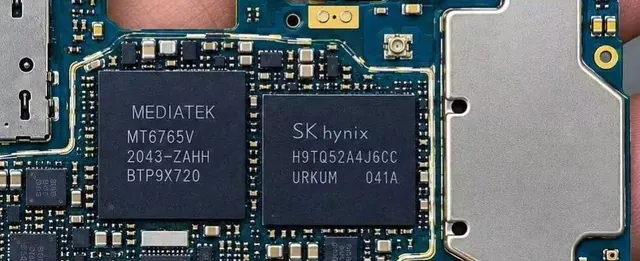
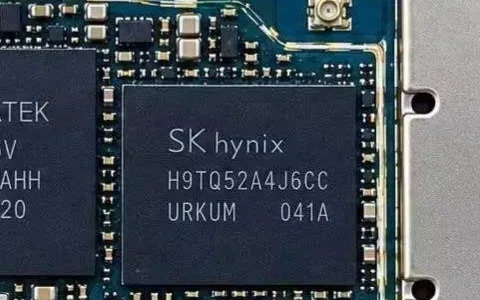
Type the code printed on the chip.
- eMMC
- eMCP
- UFS
- uMCP
Illustration. Codes and results shown are examples from the app.
Don't lose money on a wrong GB.
In the scrap board market, the GB is where the cheating happens. A 128 GB board is bought as a 64 GB board, and a 64 GB board is bought as 32 GB. Every time, the seller loses real money.
Scan the board yourself before you buy or sell. Save your hard-earned money.
- Real128 GBYou are told
64 GB - Real64 GBYou are told
32 GB
Scan 1,000 mobile boards in very little time.
Pick a photo of the list and every code is read in a blink.
Three ways to check a chip
All three give the same answer: GB, company and type. All three speak the result.
Manual entry
Type the code and press Check. Works with the offline database and the cloud together.
Camera scan
Hold the camera over the chip. It reads the code live and keeps count of the chips you scan.
Gallery scan
Pick a photo of a whole code list. Every chip in it is read in a blink.
Built for the scrap market
For people who buy and sell mobile scrap boards.
- GB, company and type
- Every result shows the capacity in GB, the maker, and the chip type: eMMC, eMCP, UFS or uMCP.
- Result spoken aloud
- The app says the GB in Hindi in all three modes, so you can keep your eyes on the board.
- Company decoders
- Decoders for Samsung, SK Hynix, Micron and more read the part number by the maker's own rules, even when the exact code is not saved.
- Offline database
- More than 4,500 chip codes are stored inside the app, so lookups work without internet.
- Cloud sync
- Add a new code to the cloud, and sync the latest codes into your app.
Verified company decoders
Part numbers from these companies are decoded with their own numbering rules.
- Samsung
- SK Hynix
- Micron
- Kioxia / Toshiba
- SanDisk
- Kingston
- FORESEE (Longsys)
- BIWIN
- YMTC
- Silicon Motion
- ISSI
- SmartSemi
- SkyHigh
- Macronix
- Intelligent Memory
- Insignis
- Etron
- ESMT
See it on a real phone
Tap a screen to enlarge it.
Watch it work
Questions, answered
Does it need internet?
No. Code lookup uses the database inside the app. Internet is only needed to sync with the cloud.
What if the camera can't read the code?
Type the code in by hand, or take a photo and use gallery scan.
How do I install the APK?
Open the downloaded file. When Android asks, allow installs from your browser or file manager, then tap Install.
How do I activate the app?
The app asks for a license key on first start. Message us on WhatsApp to get one.
What if my chip code isn't found?
Send us the code and a clear photo on WhatsApp, and we'll look into it.
Try it on your next chip.
Download the app, scan one code, and see the GB, company and type for yourself.